







Easy Newsletter
Create and send your newsletter directly from your WordPress website without reliance on an external email marketing tool and with no recurring costs.
Your advantages
- Simple – Newsletter creation with your theme in your usual WordPress environment
- Compatible – Use all your content, media, blocks, posts, custom post types, etc., in the newsletter
- Data protection compliant – all data is stored in your WordPress database on your server
- Independent – no external tool necessary, no dependency on US services
- Honest – no ongoing costs, one-time payment, lifetime support
- Available in a free of charge and a Pro version
Functions
- Creating and sending the newsletter directly into WordPress
- Unlimited number of subscribers and newsletters
- Registration form with Double Opt-in and automatic welcome email
- Importing Contacts and meta fields via CSV file
- Statistics on newsletter open rates and clicks from the newsletter
- Settings for Dispatch interval, standard emails, thank-you pages, subscriber categories etc.
- Compatible with WooCommerce – e.g. sending newsletters to customer accounts
- Compatible with the most SMTP-plugins
- Support from Custom Post Type Content and meta-fields
A comparison of the Easy Newsletter Pro version and the Free version
| Functions | Free-Version | Pro-Version |
|---|---|---|
| Create newsletters with the WordPress block editor | ||
| Subscribers and newsletters without quantity limits | ||
| Registration form with double opt-in and spam protection | ||
| Settings for shipping interval, subscriber categories, etc. | ||
| Compatible with most SMTP plugins | ||
| Support for Custom Post Type content and meta fields | ||
| Newsletter archive as a block or shortcode | ||
| Subscriber import (csv) | ||
| WordPress users as newsletter recipients | ||
| 3 additional Meta fields in the subscribers overview | ||
| Plan to send the newsletter later | ||
| Extensive statistical function |
The Easy Newsletter Plugin for WordPress – your hassle-free solution for effective email marketing
Full control, no dependencies from external services: data protection and data security remain guaranteed on your server.
Seamless integration in WordPress, supports the Gutenberg editor, as well as page builders like Elementor and Divi. In the Pro version, compatible with WooCommerce – ideal for shipping to customer accounts.
Unlimited subscribers and Newsletter, no running Costs. Create newsletters directly in the backend, analyse open and click rates in the Pro version. One payment – lifelong support and updates. Test the free version and see for yourself!
Screenshots
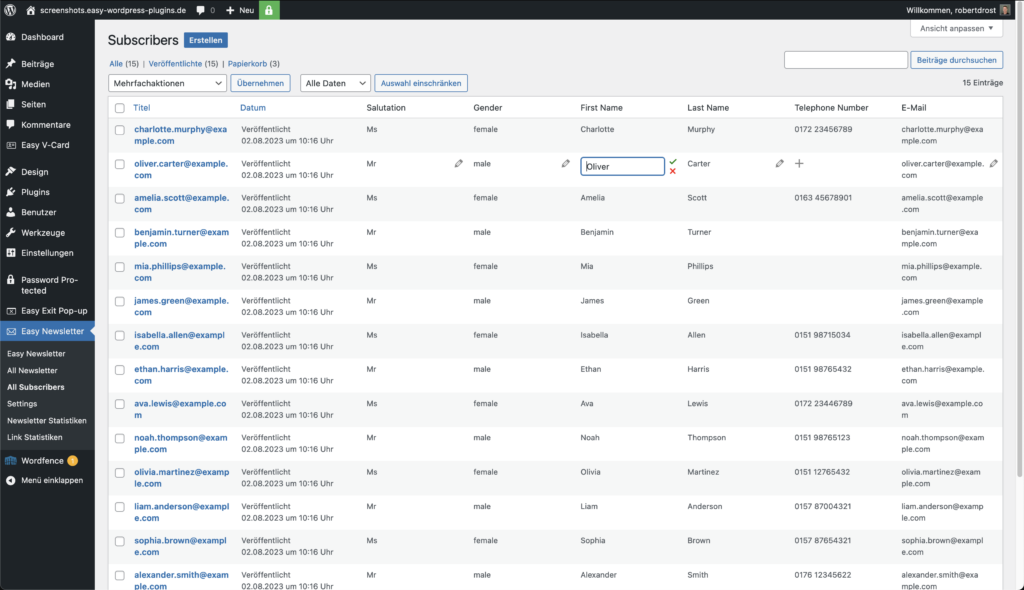
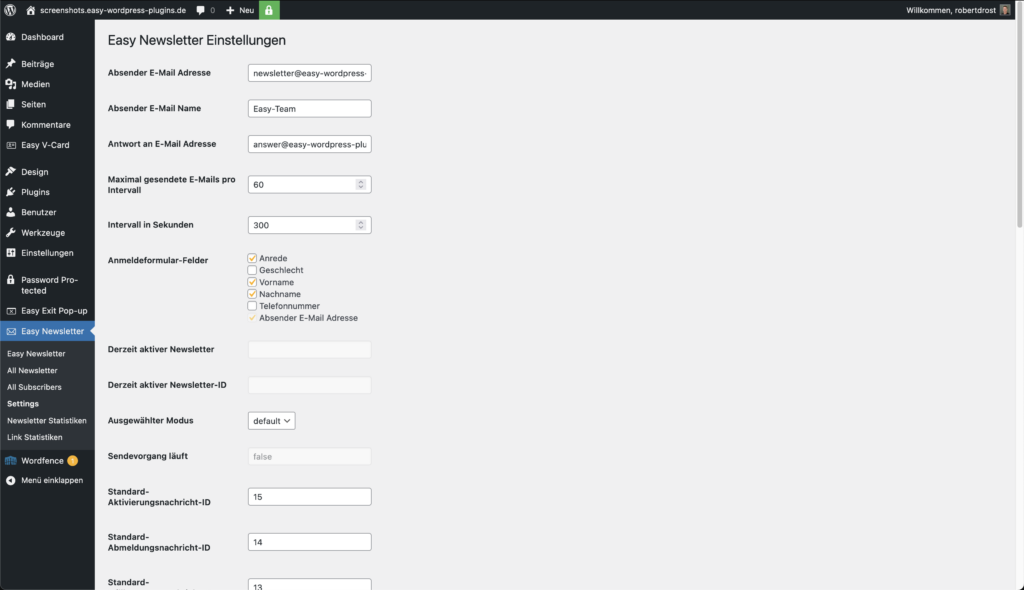
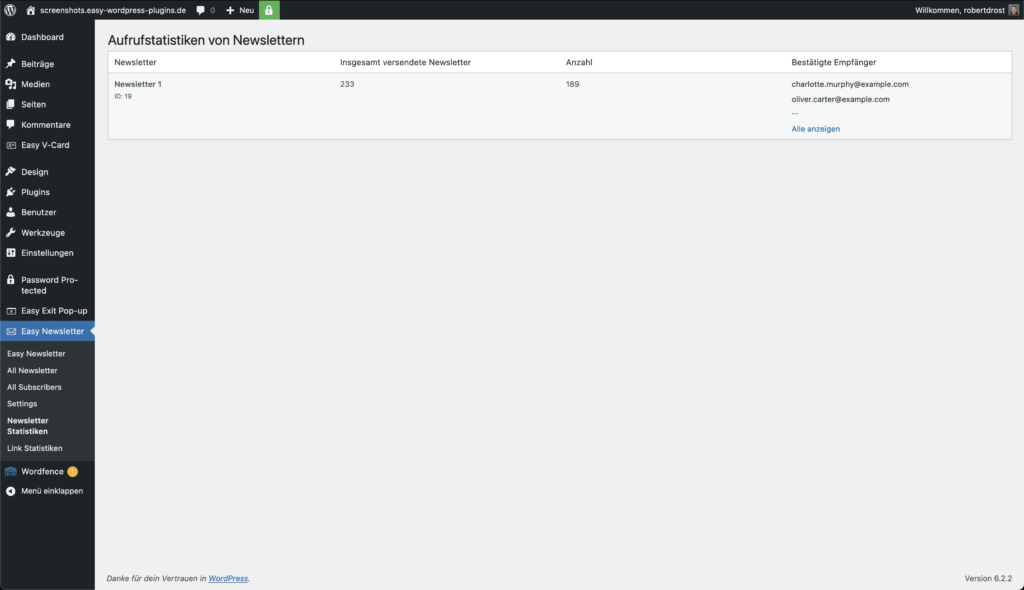

The most important features of the free version in detail
Design newsletters directly in WordPress
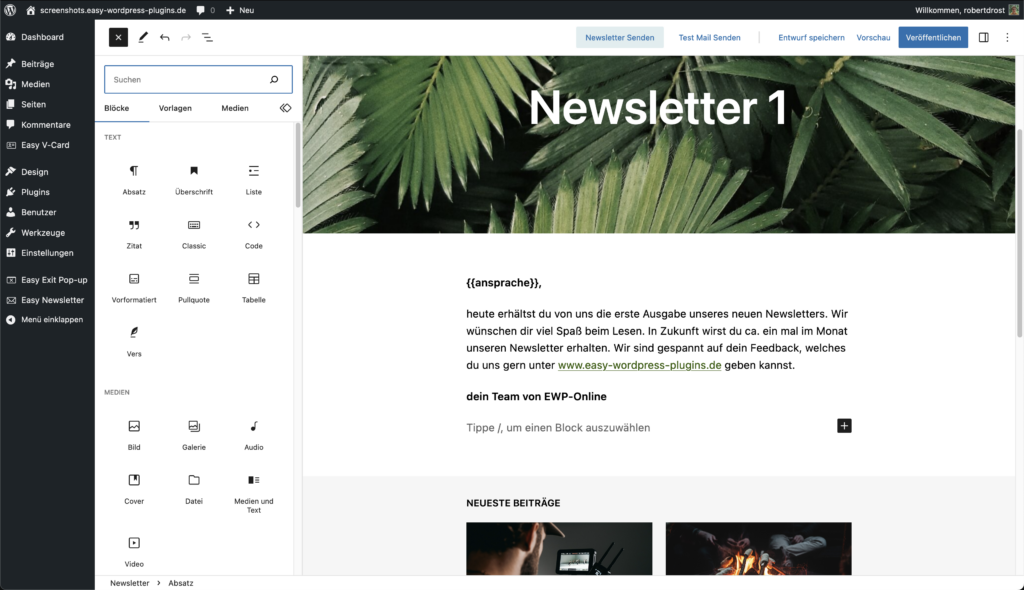
Create your newsletters right where your website is also being created: in the WordPress block editor. Use texts, images, and existing content instead of rebuilding them in a second system. Your theme provides the foundation for the design.
Easy Newsletter prepares the content for email delivery. You can edit the subject, preview text, and test recipients directly in the newsletter. With a test email, you can test the display in the email programs relevant to your target audience before sending it.
Registration forms suitable for your website
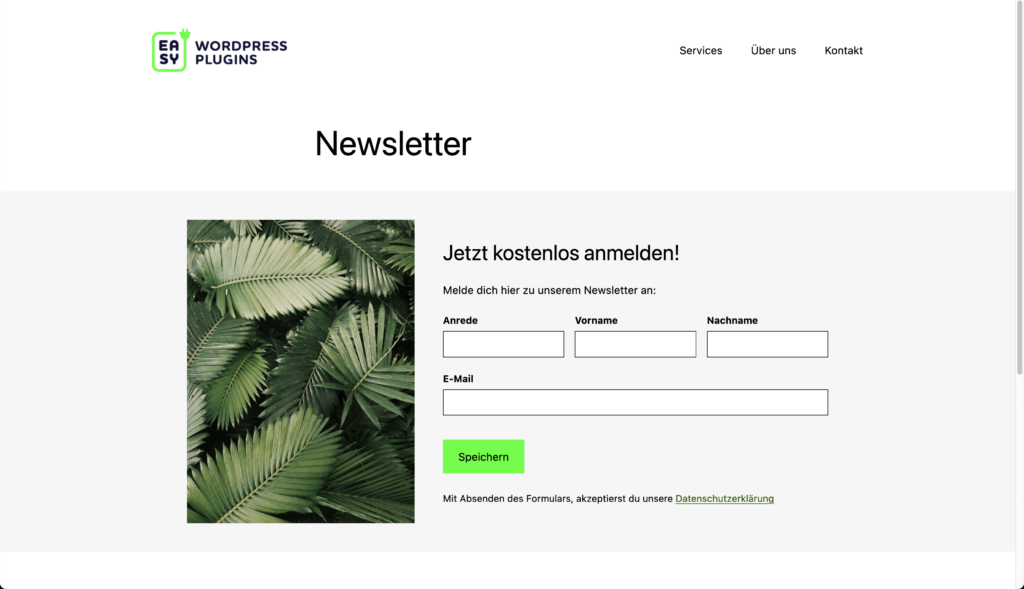
Add the registration form as a WordPress block or use the shortcode on your pages. In the block, you choose the newsletter category and the display of the form. For a compact layout, you can arrange the email field and the registration button next to each other.
You define additional form fields in the settings. After logging in, the feedback appears directly instead of the form or on a separate page. An integrated spam protection complements the form without requiring an external captcha service.
100% compliant with data protection regulations
Easy Newsletter stores subscriber data and consent documents in the WordPress database on your own server. You do not need an external newsletter platform to manage them. The email delivery is done through your configured mail configuration; the data required for the delivery is then sent to the mail provider used.
With the double opt-in, new subscribers confirm their registration via a link in an email. For new form registrations, the plugin captures the displayed consent text and the confirmation time. You can later track these details in the subscriber details.
When automatic cleanup is activated, any unconfirmed registrations that have not been verified after 30 days are removed during the next cleanup run. You can customize the consent text and feedback pages.
Personalize the newsletter
With placeholders, you can insert stored recipient data into your newsletters and, for example, create a personalized message. You can add attachments from the WordPress media library. Before sending, you can test the result with a test email.
Shipping taxes
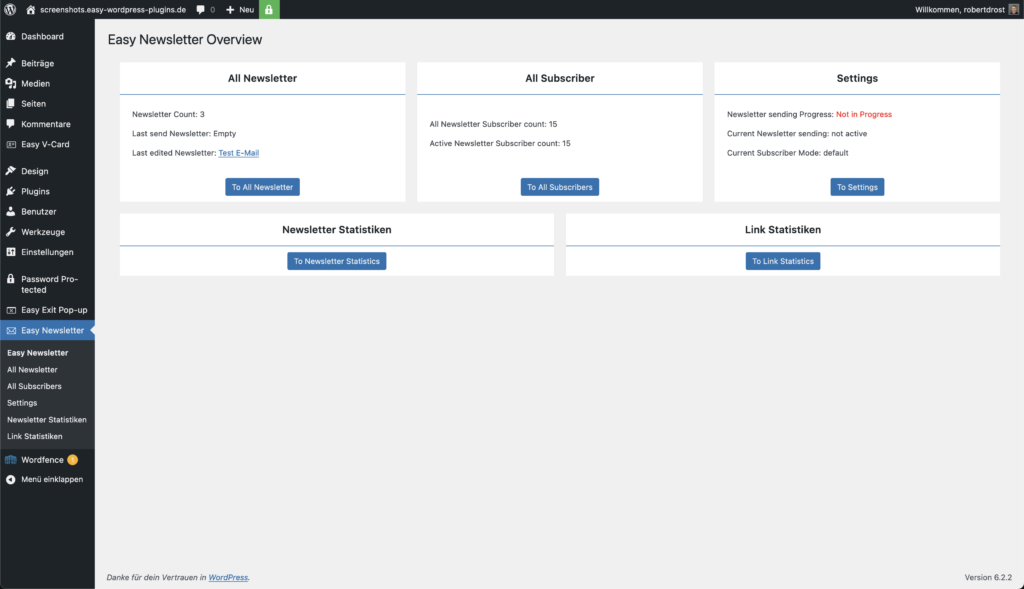
You determine how many emails are processed per interval. In the overview, you track the progress of the delivery and can stop an ongoing delivery if necessary. Easy Newsletter uses the email configuration of your website and can therefore also be used with SMTP plugins. The possible delivery amount depends on your hosting and email provider.
Newsletter archive
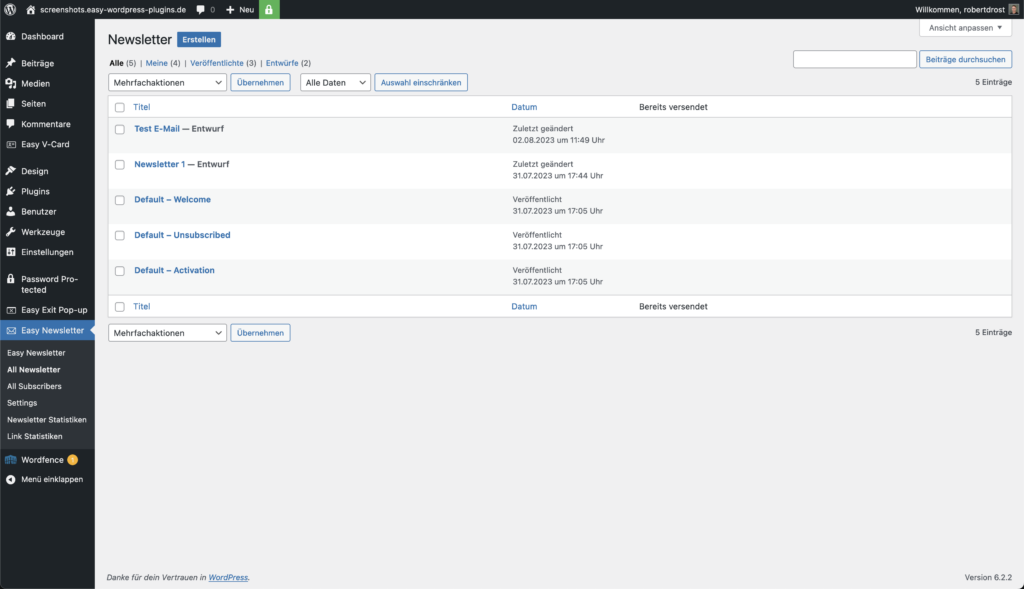
With the Archive block, you display past newsletters on a page of your website. Alternatively, you can insert the archive using a shortcode. Visitors open an issue via their linked title in a browser view.
The additional features of the Pro version
Import contacts and select recipients specifically
Import existing contacts into your newsletter distribution list using a CSV file. When importing, you arrange the included columns into the available data fields. Three additional meta fields in the subscribers overview provide space for additional information.
For shipping, you can select recipients based on subscriber categories and meta fields. Multiple conditions can be combined. This way, you can target your newsletters to appropriate groups, instead of addressing the entire active list with each issue.
Using WordPress users as newsletter recipients
Use the WordPress user list as the basis for your newsletter distribution list. This is especially useful if your website already has user accounts. Newsletter-relevant information is assigned to the existing users.
Customers with a WordPress user account, such as those from a WooCommerce shop, can also be included in this way. A customer account alone does not replace the newsletter registration. In the settings, you choose whether to work with standalone subscribers or with WordPress users.
Plan a newsletter for a later date
Prepare a newsletter and schedule its delivery for later. In the planning dialog, you set the date and time. The scheduled delivery then appears in the overview.
There you will find the number of recipients and the information about the intended start date. You can cancel any remaining planning. The execution takes place via the configured cron processing of your website. This allows the editorial preparation to be separated from the actual shipping date.
Evaluate newsletters with the comprehensive statistical function
The statistics function aggregates the evaluations of opens and clicks for your newsletters. You can see which linked content has generated interest. From the overview, you can access the statistics for the most recently sent newsletter.
Use the results to further develop topics, subject lines, and links for future issues. The captured values depend on whether email programs and recipients allow tracking. Automatic retrievals and privacy features can affect the results. Therefore, the numbers serve as a guide and are not a complete proof of who actually read a message.
Frequently Asked Questions
Is there customer support?
We offer customer support via email. Please feel free to contact us with any questions at info@farnlabs.de.
How does the installation of Easy Newsletter work?
Once you have purchased the plugin, you will receive the plugin license from us via email. You can then enter your individual license key during installation to complete the plugin setup. The license key is tied to your domain.
Is there a free trial period?
There isn't a free trial for the Pro version of Easy Newsletter, but you can request our stripped-down free version if you'd like to familiarise yourself with Easy Newsletter.
In which languages is Easy Newsletter available?
Easy Newsletter is available in German and English.
Can I use Easy Newsletter with my multisite?
Should you wish to use our Easy Newsletter Plugin with your multisite, please send us a request to info@farnlabs.de.
Plugin Documentation for Easy Newsletter
In this documentation, you will find detailed guides, step-by-step instructions, and practical examples to help you use the plugin effectively.
Posts and guides on Easy Newsletter
-

Pros and Cons: Email Marketing with External and Internal Tools
read more: Pro und Contra: E-Mail-Marketing mit externen und internen Tools -

The 9 best WordPress newsletter plugins for 2023 compared
read more: Die 9 besten WordPress Newsletter Plugins für 2023 im Vergleich -

6 tips for environmentally conscious email marketing: sustainable and CO₂-friendly
read more: 6 Tipps für umweltbewusstes E-Mail-Marketing: nachhaltig und CO₂-freundlich -

How to set up a newsletter in WordPress – Easy Newsletter
read more: So richtest du einen Newsletter in WordPress ein – Easy Newsletter

About us
We are a digital agency in Hamburg for WordPress websites, online shops, and digitisation. With our Easy Plugins, we help you improve your WordPress website.
All Plugins
-
Easy Newsletter
Find out more: Easy NewsletterCreate and send your newsletter directly from your WordPress website without reliance on an external email marketing tool and with no recurring costs.
-

Easy Exit Pop-up
Find out more: Easy Exit Pop-upAlert your users to something important before they leave your website.
-

Easy vCard
Find out more: Easy vCardProvide contact details in vCard format directly from your WordPress website. All vCard contact data can be accessed via QR code and optionally via a short URL.
-

Easy Content-Blocker
Find out more: Easy Content-BlockerPay attention to your website's data privacy and block third-party scripts in iframes until your visitors give their consent to load them.
-

Easy Backend-Style
Find out more: Easy Backend-StyleColour your WordPress backend quickly, easily and automatically.
-

Easy E-Mail Footer
Find out more: Easy E-Mail FooterCreate your email footer using the configurator directly in WordPress
-

Easy Job Sync
Find out more: Easy Job SyncAutomatically synchronise your job advertisements between your Applicant Tracking System (ATS) and your WordPress website with Easy Job Sync.
-

Easy Symbols & Icons
Find out more: Easy Symbols & IconsAdd and manage icon fonts in WordPress.
Further Services from Us

Many are dissatisfied with their host, so we help users and businesses to switch their host.

We are a digital agency in Hamburg for WordPress websites, online shops, and digitalisation.